FirecREST Operators for Airflow
Goal
Write custom Apache Airflow operators that use FirecREST to execute compute-intensive DAG tasks on an HPC cluster.
The DAG combines tasks that run locally on a laptop with tasks that must run on a supercomputer. Your operators extend Airflow's BaseOperator and use PyFirecREST in their execute method:
FirecRESTCustomOperator definition
Installation
Create a virtual environment and install the required packages:
Create virtual environment for AirFlow
Set your credentials as environment variables (the base operator reads these):
Set your environment
Tip
You can re-source the .env file created on Local Environment Setup
Launch Airflow
Initialize the database and start Airflow in standalone mode:
Launch Airflow in your laptop
The dashboard is available at http://127.0.0.1:8080. Credentials are printed at startup and saved to $AIRFLOW_HOME/standalone_admin_password.txt.
Tip
Set load_examples = False in $AIRFLOW_HOME/airflow.cfg to start with a clean dashboard.
To change the port, set web_server_port under the [webserver] section in airflow.cfg.
Deploy the DAG
By copying the DAG file to the $AIRFLOW_HOME/dags directory, it will register the DAG and install the custom operators in the Airflow server.
Deploy the FirecREST DAG
Open $AIRFLOW_HOME/dags/airflow-dag.py and set:
workdirto the absolute path of theuse-case-airflow-operatorsdirectory<username>to your course username
For MacOS users
If the DAG appears loaded but with errors, export the following variable:
Exercise
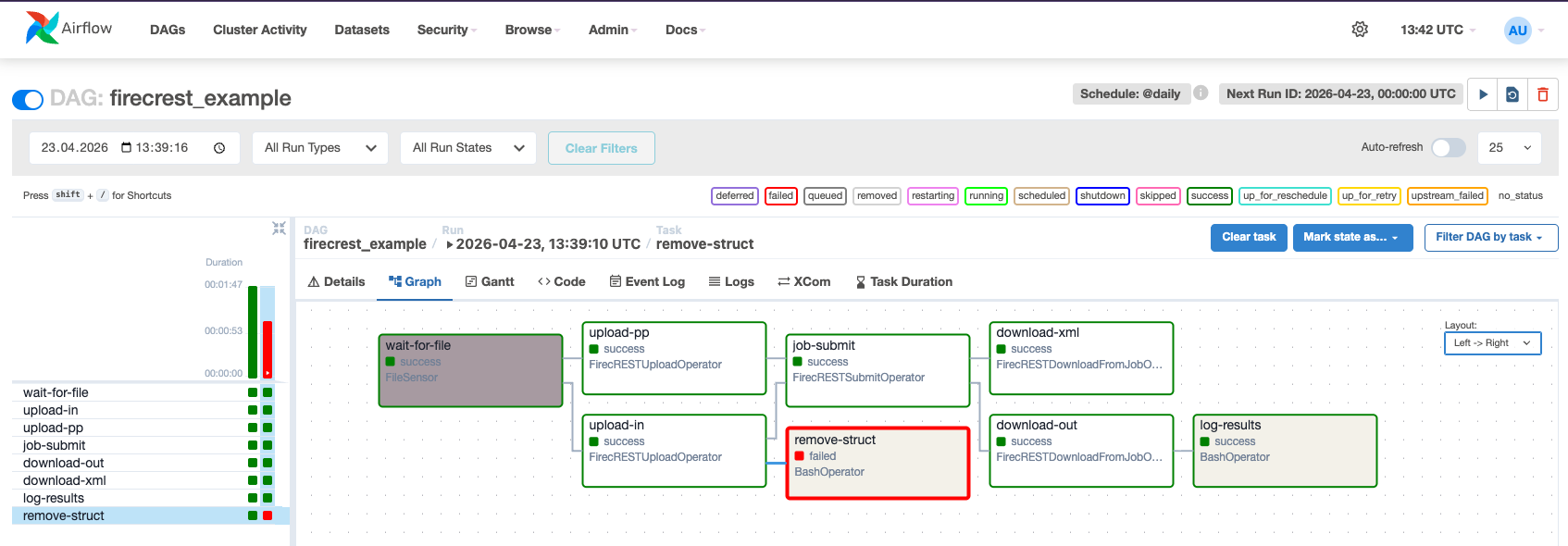
The provided DAG (firecrest_example) models a crystal structure simulation workflow with these tasks:
- Detect that a new structure has been produced (
wait_for_file) - Upload the structure and its pseudopotential to Daint (
upload_inandupload_pp) - Submit a job to compute its properties (
submit_task) - Download the output (
download_out_taskanddownload_xml) - Log relevant values to a table (
log_results) - Delete the structure file (
remove_struct)
The file firecrest_airflow_operators.py contains the operator implementations to complete.
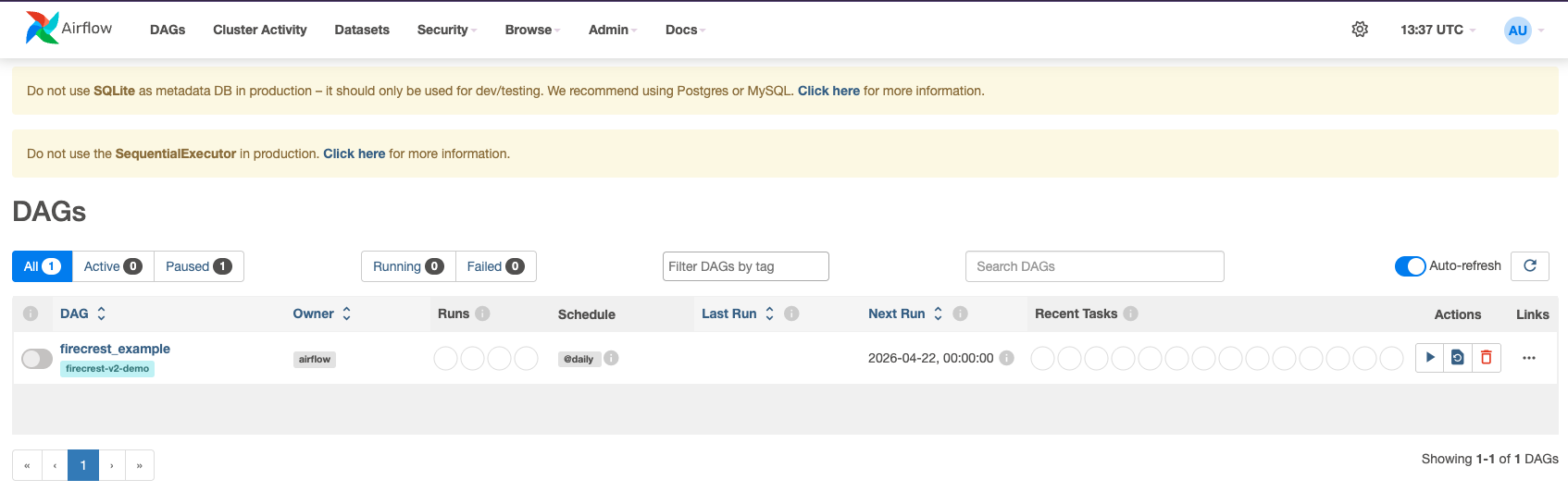
Trigger the DAG from the Airflow dashboard by clicking the Play button next to firecrest_example as shown in the image below
Workflow progress
- The first stage
wait-for-fileis waiting for the filesi.scf.into be present in thestructsfolder. - Copy the file to the folder and wait for the workflow to continue
- See the process on the Graph view of Airflow